

Room Arranger is a graphic tool that enables you to design your house plan. This program might come in handy to interior designers as well as inexperienced users who want to create house blueprints when dealing with the renovation or construction of a building or apartment.
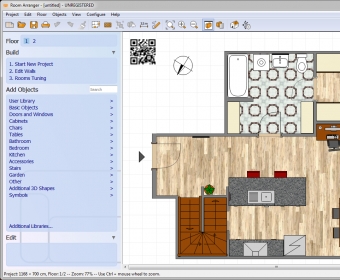
This utility is packed with a wide variety of sample data that consists of images. These pictures are graphic representations for house accessories, furniture, and other types of objects that are usually found in a house. All you need to do in order to add an object to your project is to drag-and-drop it over your design. You can change the position and size of the attached item. All sample objects can be found on the left side of the interface.
Once you finish altering your project, you can preview it in 3D mode and "take a tour" of your new house. If you're happy with your results, export the project to the desired output format or print it directly from the program's interface.
The only bad aspect is that the graphics are a bit tacky, especially if you compare them to the ones you get in other interior design programs. Still, unlike other house design tools, Room Arranger is quite cheap.
In conclusion, if you're looking for an affordable solution for creating your own house plan from a PC, then Room Arranger might be the answer for you. It's feature-rich, provides you with a comprehensive objects library, and it very simple to handle.






Comments